rClone,
made simple.
Copy, sync and move your files to Google Drive, OneDrive, Dropbox, S3, SFTP and more, from one friendly window. Preview first, then run.
Windows, Linux and macOS. Needs rclone; the app can install it for you.


How it works
Three steps. No commands.
rclone does the heavy lifting. rSimpLone gives it a clear window.
Connect
Add Google Drive, OneDrive, S3 or any server with rclone's own guided sign-in, right inside the app.
Preview
See exactly what would be copied, changed or removed. Nothing is touched yet.
Run
Start it, watch it live, or put it on a schedule. Stop any time.
Why rSimpLone
Power, with guard rails.
rclone is powerful, and powerful tools bite. We kept the power and added the safety.
Safe by default
Move deletes the source, so it needs a fresh preview and a typed confirmation. Sync keeps replaced files in a backup folder.

Watch it happen
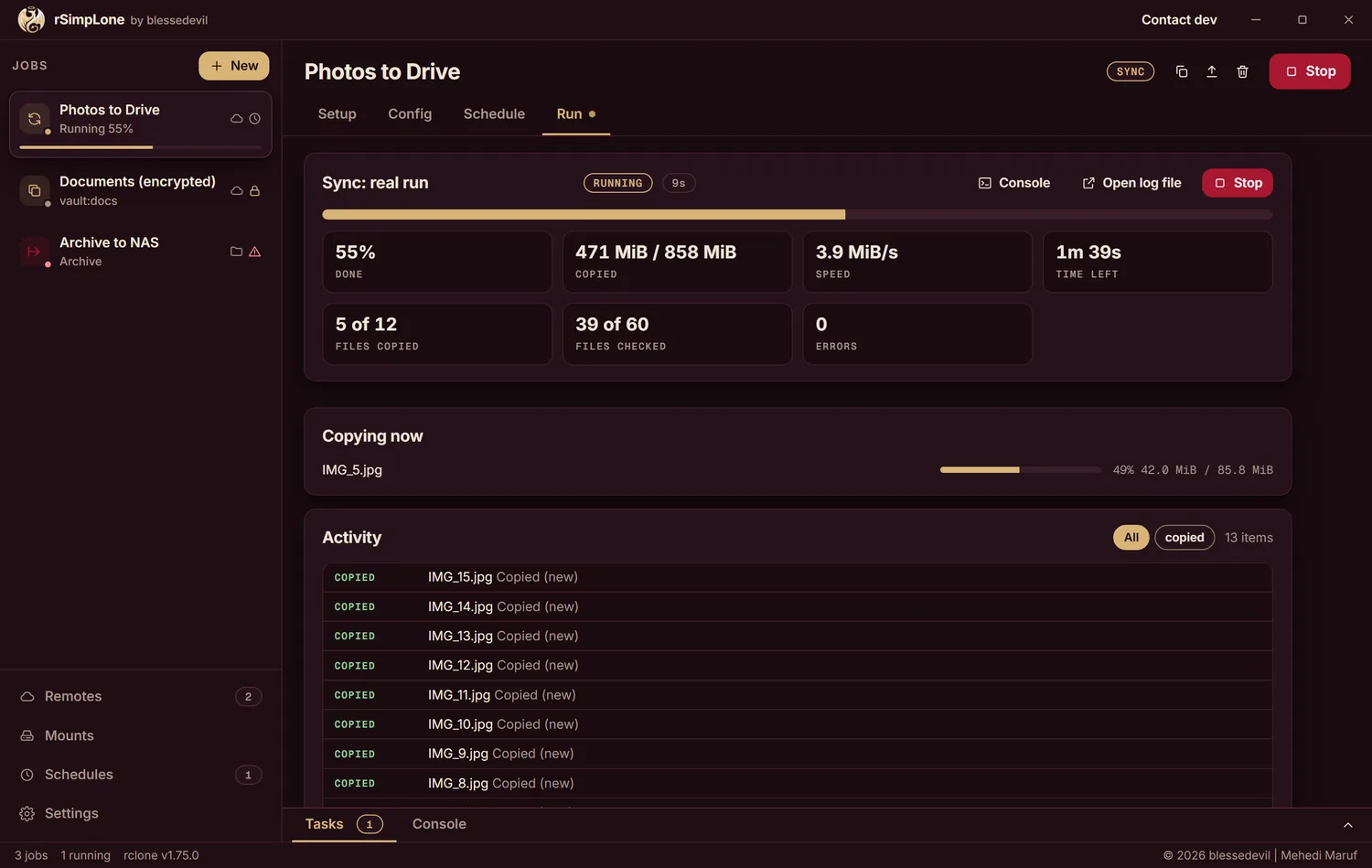
Live progress, speed and the real rclone log in one place. Run several jobs at once, or schedule them.
Systems
Windows, Linux and macOS. An installer, or a single file you can carry.
Accounts
Your logins stay in your own rclone config on your own computer. Nothing is sent anywhere.
Free and open
Read the code, change it, share it. Licensed AGPL-3.0 or later.
Download
Get rSimpLone
Latest release on GitHub.
The files are not code-signed. Windows SmartScreen or macOS Gatekeeper may warn you. Check the file's SHA-256 against SHA256SUMS.txt first:
Get-FileHash .\rSimpLone-*-windows-x64-setup.exe        # Windows (PowerShell)
sha256sum rSimpLone-*-linux-x64-portable                 # Linux
shasum -a 256 rSimpLone-*-macos-arm64-portable.zip       # macOS
macOS: right-click the app and choose Open (or run xattr -dr com.apple.quarantine rSimpLone.app). macOS support is experimental. Windows needs WebView2, which current Windows 10 and 11 already have.
rclone is not included. If it is missing, rSimpLone shows an Install rclone button that uses your own package manager (winget, Scoop or Homebrew) after showing you the exact command. Or install it yourself from rclone.org.
A choice I made
Why there is no web version
I could have built one. The window is plain HTML, so a browser version is a small step.
I chose not to host it, on purpose. rSimpLone runs rclone on the computer it lives on, and rclone can read, overwrite and delete files. A public web version would either let strangers loose on the server's files, or mean I keep your Google Drive and server logins on my side so it can act for you. I don't want to hold your keys, and I don't want you to have to trust me with them.
So your logins stay in your own rclone config, on your own computer. The app has one optional network call of its own, an update check that is off until you turn it on. If you want a browser view for your own NAS or server, a self-hosted mode that only you can reach is possible later.
Questions
Good to know
What is rclone?
A free command-line program that copies files to and from almost any cloud or server. rSimpLone is a window on top of it, so you don't have to memorise commands.
Is it safe for my files?
Preview shows what would change before you run anything. Sync keeps replaced files in a backup folder. Move only runs after a fresh preview and a typed confirmation. It is free software, so you can read exactly what it does.
Where is my data kept?
Jobs and settings live in a folder on your computer. Remote logins live in your rclone config file, which you can choose in Settings. Passwords are never shown or written to logs.
How do I uninstall it?
Use the Windows uninstaller or delete the portable file. The uninstaller asks before deleting your jobs and settings, and by default it keeps them.
Does it check for updates?
Only if you say yes. It then asks GitHub once a day for the newest release and links to it. It never downloads or installs anything by itself.